Course Accessibility Checker
The Canvas Course Accessibility Checker allows instructors to enable the Accessibility tab in the Course Navigation to scan Canvas Pages and Assignments for accessibility.
Getting Started
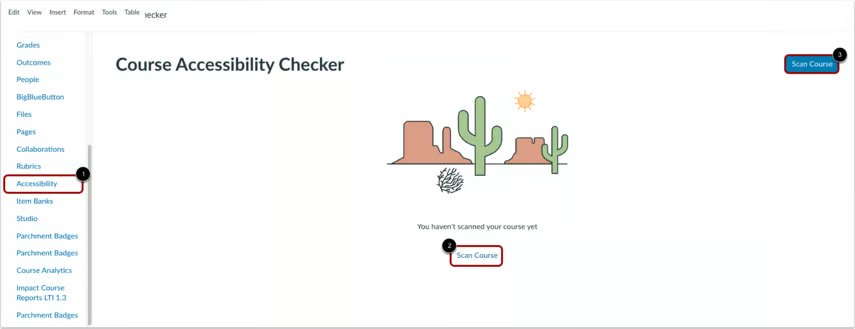
Using the sidebar, click the Accessibility option [1]. Then, click one of the Scan Course options [2] or [3].
Note: The scan can take from a few seconds to a few minutes to complete depending on the size of the course.
For more details on how to use this tool, please reference the guidance provided by Instructure.